How I Built a Production E-commerce Platform for a Personalized Gifts Business
Building a project for a real business is very different from building a project for a portfolio.
You don't just need to make the UI look good. You need to understand how the business actually works, turn that workflow into software, handle real customer data and payments, deploy the application, and make sure everything works together in production.
The Craft Pallet was one of those projects for me.
It is a personalized gifts business that sells products such as Polaroid prints, photo frames, and other customized gifts. The business was receiving a significant portion of its orders through Instagram and WhatsApp, which made the ordering and management process increasingly difficult to handle manually.
I built a full-stack e-commerce and order management platform to solve that problem.
The Problem
Before the platform, the ordering process depended heavily on conversations through WhatsApp and Instagram.
A typical order could involve:
Customer discovers the product through Instagram.
Customer contacts the business.
Product and quantity are discussed.
Customization details are collected.
Customer sends photos.
Payment information is exchanged.
The business manually tracks the order.
Production status is communicated separately.
This works when the number of orders is small.
As the business grows, however, conversations become difficult to organize. Important information can get buried inside chats, and manually tracking order progress becomes time-consuming.
The goal wasn't simply to create an online store.
The goal was to create a structured digital workflow around the existing business process.
Designing the Solution
The platform was designed around two separate experiences.
Customer Side
Customers can:
Browse products
View product details
Select available options
Provide customization information
Upload required images
Create an order
Complete payment
Receive order information
Admin Side
The business can:
Manage products
Manage customers
View orders
Verify payments
Update order status
Track the production lifecycle
Manage business operations from one place
This separation made it possible to keep the customer experience simple while giving the business the tools required to manage the backend workflow.
The Order Lifecycle
One of the most important parts of the system was designing the order lifecycle.
Instead of treating an order as simply "paid" or "unpaid", the application uses business-specific states.
A simplified version of the workflow looks like this:
Awaiting Payment → Payment Verified → Approved → Production → Completed → Delivered
This provides a clear representation of where an order currently sits in the business process.
It also gives the admin dashboard a consistent way to communicate the state of every order.
Technology Stack
The application was built using a modern full-stack JavaScript/TypeScript stack.
Frontend
Next.js
React
TypeScript
Tailwind CSS
Backend
Node.js
Express.js
REST APIs
Database
PostgreSQL
Prisma ORM
Integrations
Razorpay — online payments
Cloudinary — image storage
Resend — transactional emails
Deployment
Linux VPS
Nginx
HTTPS
Custom domain
The goal was to use technologies that were reliable enough for a real production application while keeping the architecture practical for the scale of the business.
Building the Product System
The product system needed to support different types of personalized products.
For example, Polaroid products can have different sizes and quantities, while photo frames can have their own dimensions, pricing, and image requirements.
Instead of hardcoding every product directly into the frontend, product information is managed through the backend and database.
This allows the business to change product information without requiring changes to the application code.
Handling Customer Images
Personalized gifts depend heavily on customer-provided photographs.
That introduced another requirement:
How should customer images be uploaded and stored?
I integrated Cloudinary to handle image storage.
The application can receive customer uploads and associate them with the relevant order.
This is particularly useful for personalized products because the images aren't simply generic product assets — they are part of the customer's order data.
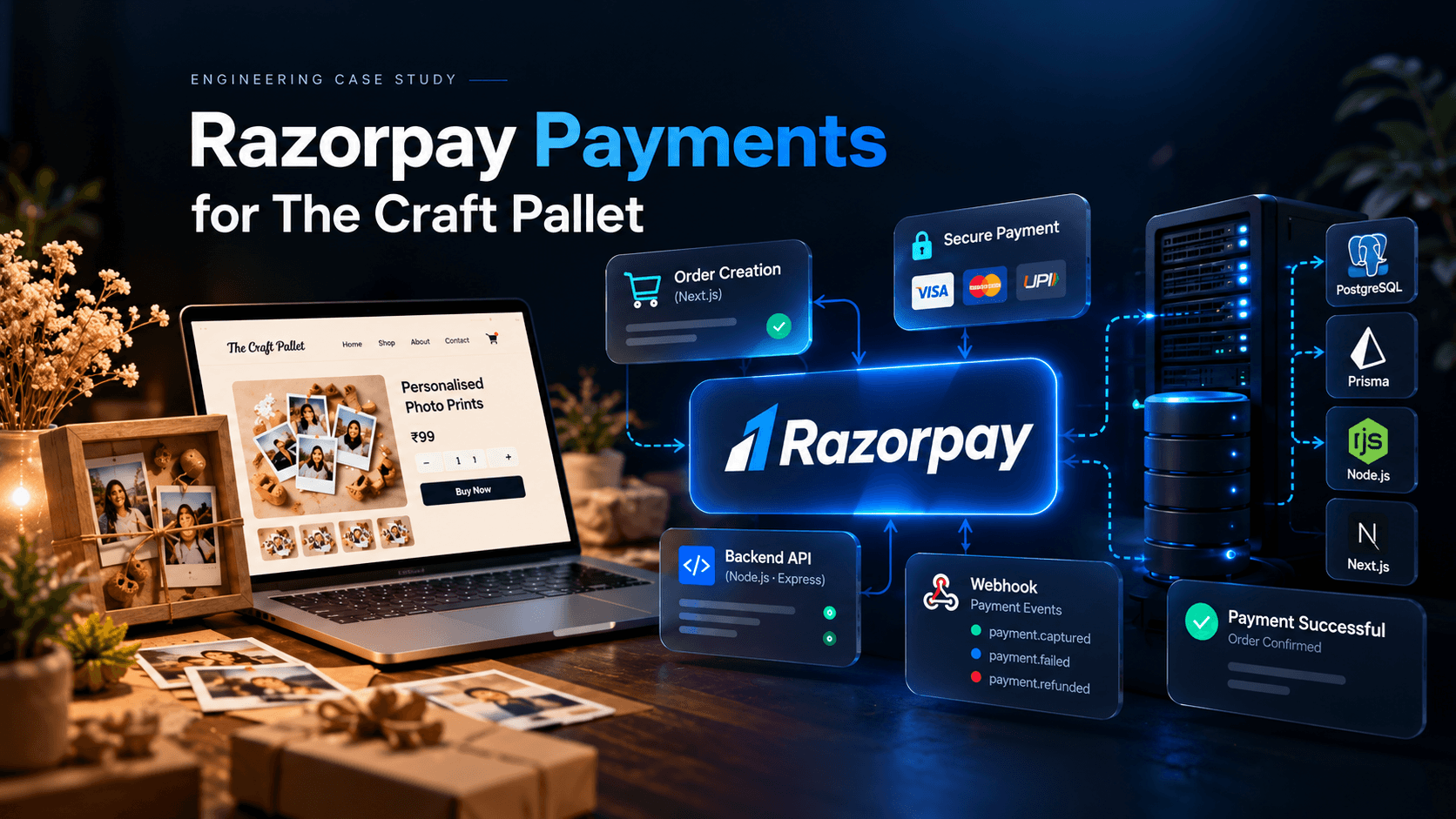
Integrating Razorpay
Payments were another important part of the system.
Razorpay was integrated to provide online payment processing.
The application associates payment information with the corresponding order so that the business can determine whether an order has completed the payment stage before moving forward with processing.
This also introduced the need to think about payment states and webhook handling rather than relying only on what happens inside the frontend.
That was an important shift from simply building UI functionality to thinking about reliable backend state management.
Email Communication
The platform also integrates Resend for transactional email delivery.
Using a dedicated email service makes it possible to send application-generated emails from the business domain rather than relying on manually sending messages for every event.
This provides a foundation for future notification workflows as the platform grows.
Admin Dashboard
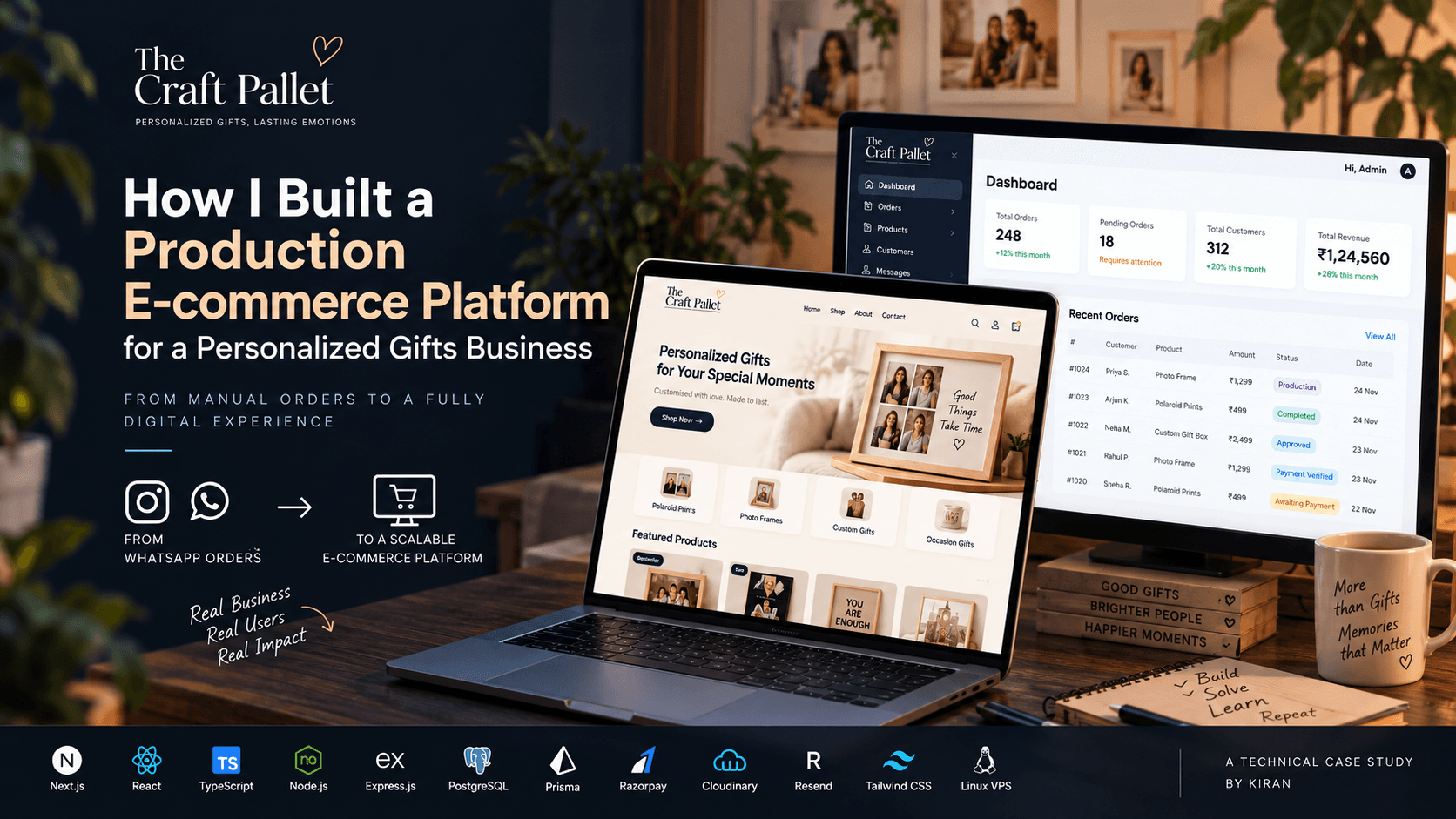
The admin dashboard was designed as the operational center of the application.
Instead of requiring the business owner to manage everything through the customer-facing website, the dashboard provides a dedicated interface for business operations.
The most important part is the order management workflow.
An administrator can view orders and move them through the different stages of the production process.
This transforms the application from a simple storefront into an actual order management system.
Deployment
Getting the application working locally was only one part of the project.
The platform was deployed to a Linux VPS and configured for production.
The deployment involved:
Building the frontend and backend
Configuring environment variables
Running the application on the server
Configuring Nginx
Connecting the custom domain
Enabling HTTPS
Configuring production integrations
Testing the payment workflow
Verifying email delivery
Working through these deployment steps was valuable because it exposed the difference between:
"The application works on my machine."
and
"The application is actually running in production."
Challenges I Encountered
One of the biggest challenges wasn't a particular framework or library.
It was understanding the business workflow.
A generic e-commerce application usually assumes something like:
Browse → Cart → Checkout → Payment → Order
But personalized products introduce additional steps.
The customer may need to provide:
Product-specific customization
Multiple photographs
Quantity information
Additional instructions
Payment information
The business also needs to verify and process those details before production.
That meant the application had to be designed around the actual workflow of the business, rather than simply following a generic e-commerce template.
What I Learned
This project taught me several things that I wouldn't have learned from a tutorial project alone.
1. Real projects start with problems, not technologies
The first question shouldn't be:
"Should I use Next.js or React?"
It should be:
"What problem is the business actually trying to solve?"
Once the problem is understood, technology becomes a tool for solving it.
2. Backend state matters
Payments, orders, and production workflows all have states.
Designing those states correctly is critical when building real applications.
3. Integrations introduce real-world complexity
Razorpay, Cloudinary, and Resend each have their own configuration, authentication, failure cases, and production requirements.
Connecting APIs together is very different from simply calling an API in a tutorial.
4. Deployment is part of development
A production application isn't finished when the code compiles.
DNS, HTTPS, environment variables, reverse proxies, server configuration, monitoring, and production testing all become part of the development process.
5. Business software is different from demo projects
A portfolio project can be deleted and rebuilt tomorrow.
A production system has real users, real orders, real payments, and real consequences when something breaks.
That changes the way you think about engineering.
The Result
The final platform provides The Craft Pallet with a centralized digital system for handling products, customer orders, payments, images, and order progression.
More importantly, it transforms a workflow that previously depended heavily on manual messaging into a structured online process.
The project gave me practical experience across the entire development lifecycle:
Requirements → Architecture → Development → Integrations → Testing → Deployment → Production
And that is probably the biggest value I took away from building it.
What's Next?
This project also showed me the areas of software engineering I want to explore further.
Building the application is one thing.
Building systems that are easier to deploy, test, scale, monitor, and maintain is another.
My next focus is therefore going deeper into production engineering — particularly areas such as Docker, CI/CD, testing, backend architecture, caching, background jobs, and system design.
The goal isn't just to build more applications.
It's to become better at building reliable applications.