How I Integrated Razorpay Payments into The Craft Pallet: A Next.js E-commerce Case Study
Introduction
Integrating a payment gateway into an e-commerce website is not just about allowing customers to pay online. The application must connect each payment to the correct order, verify payment events, handle failures, and keep the order status consistent even when something goes wrong.
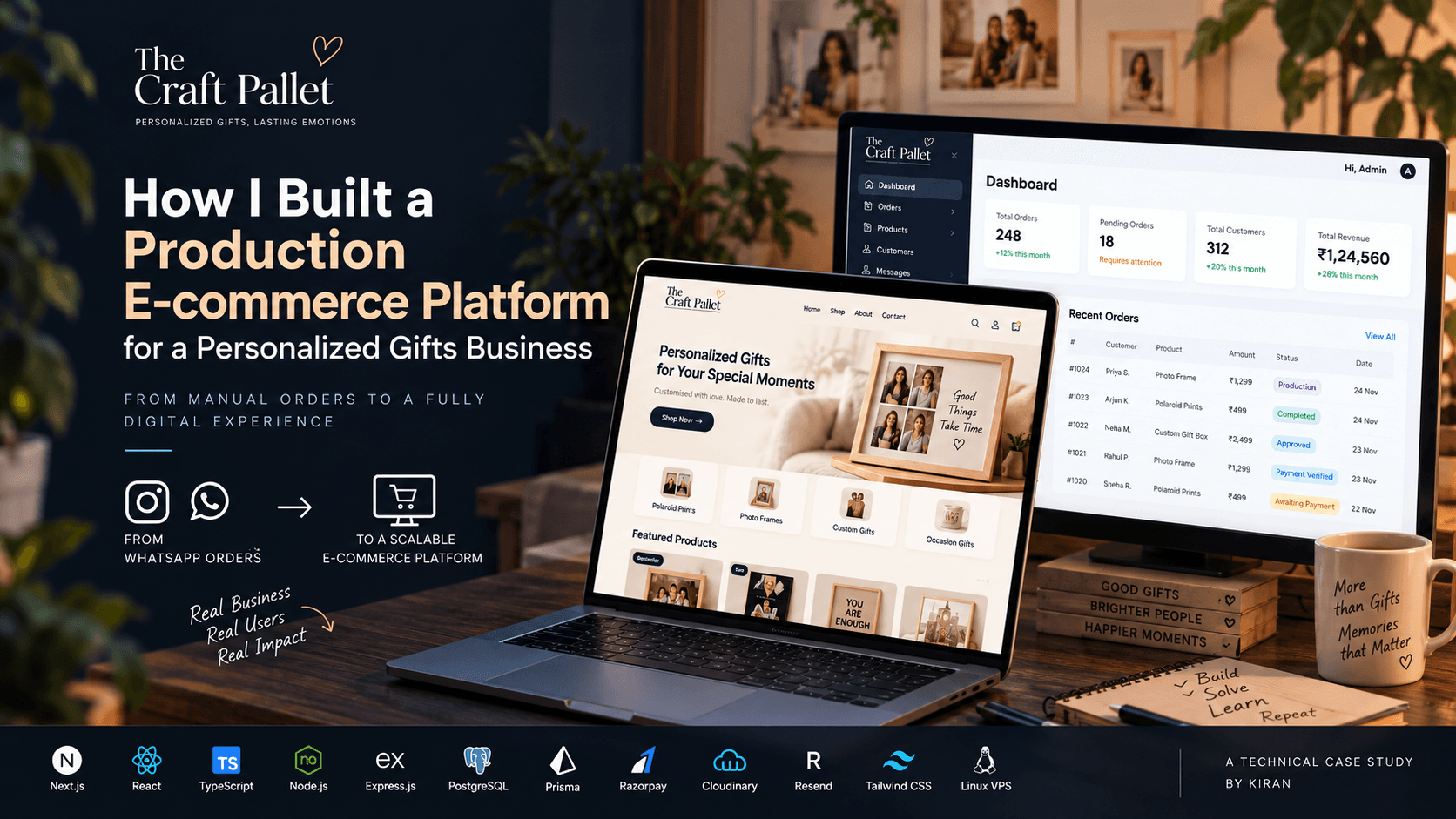
I worked on integrating Razorpay into The Craft Pallet, a handmade and personalized gifts business. The website allows customers to explore products, customize their orders, and purchase personalized gifts.
Unlike a simple product checkout, a personalized-gift order can involve customer details, customization requirements, photographs, payment confirmation, and production updates. That makes reliable order and payment tracking especially important.
In this article, I'll walk through the architecture, the payment lifecycle, the role of webhooks, and a real configuration issue I encountered while working on the integration.
The goal is to explain how the pieces fit together and why certain engineering decisions matter in a real e-commerce application.
1. The Business Problem
Before discussing the code, it helps to understand the business workflow.
A customer visits The Craft Pallet website, chooses a product, provides the required customization details, and creates an order. The application generates an order reference that the customer and admin can use to track the purchase.
The order then needs to move through several stages:
The customer submits the order and customization details.
The application stores the order and its payment information.
The customer proceeds to online payment.
Razorpay processes the payment attempt.
The backend verifies the payment information.
The order becomes eligible for the next business step after successful payment confirmation.
The admin manages production and fulfillment.
The important part is step five. Opening a checkout window does not guarantee that a payment has succeeded.
For example, a customer could complete a payment but close the browser before the website displays its confirmation page. If the application depends entirely on the browser response, the payment and order records could become inconsistent.
I needed to treat payment processing as a backend responsibility rather than just a frontend interaction.
2. Technology Stack and Architecture
The integration uses a JavaScript and TypeScript-based web application architecture.
The main components are:
Next.js: The customer-facing website and checkout experience.
Express.js with TypeScript: The backend API responsible for order and payment operations.
PostgreSQL: Persistent storage for application and order data.
Prisma ORM: Database access and data management.
Razorpay: Payment order creation, checkout, and payment event notifications.
Admin dashboard: The interface used to manage orders and follow their progress.
The customer website does not communicate with Razorpay using private credentials. Instead, it requests the necessary payment information from the backend.
The backend communicates with Razorpay, stores the provider's order reference, and processes payment notifications.
This separation keeps sensitive operations on the server and gives the application a central place to enforce payment-related business rules.
The request flow
The payment flow can be summarized as:
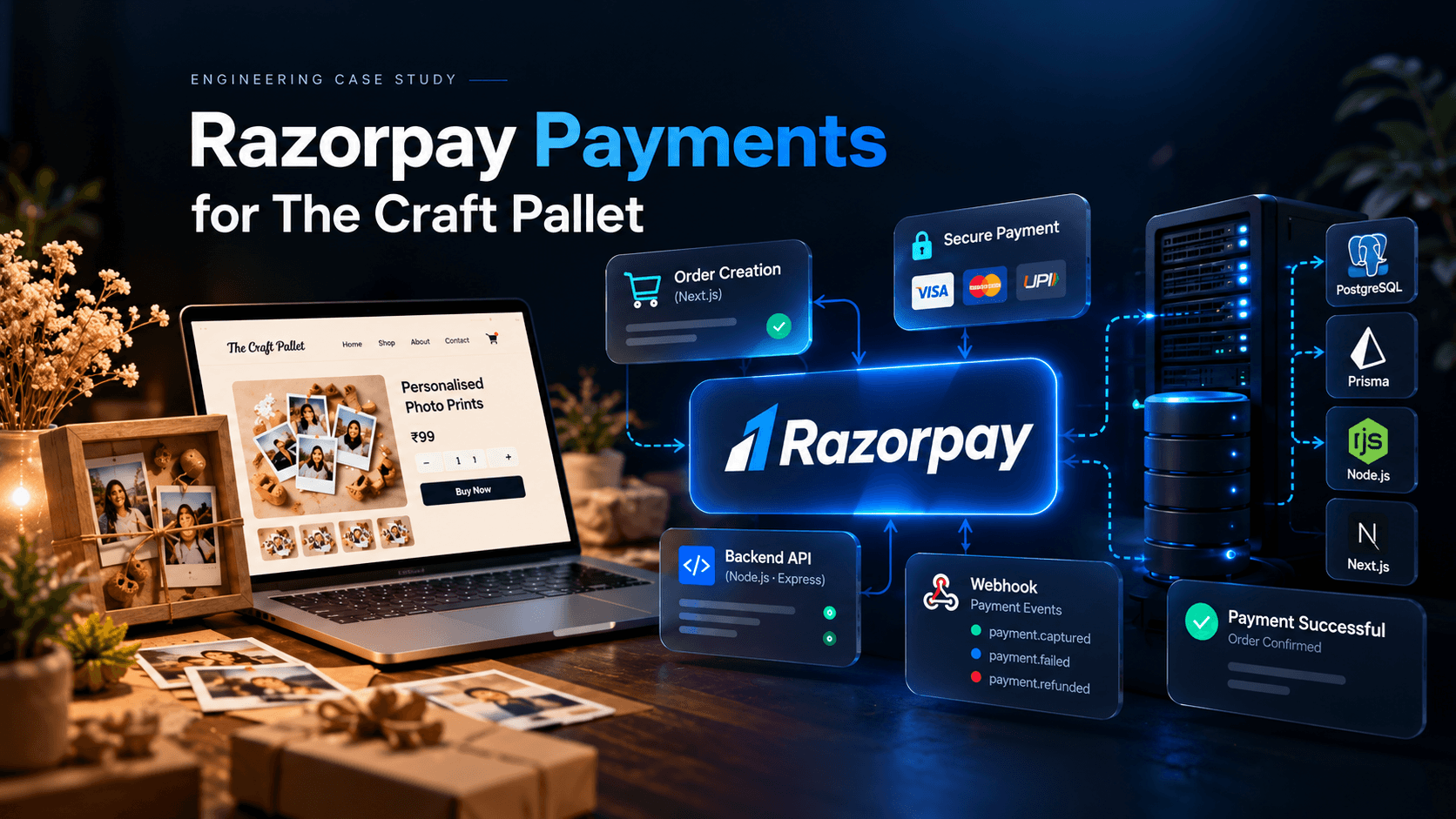
Customer website → Express backend → Razorpay API → Razorpay Checkout → Razorpay webhook → Backend and database → Admin dashboard.
Each component has a distinct responsibility. The frontend handles the customer experience, Razorpay processes the payment, and the backend maintains the application's authoritative order and payment records.
3. Creating a Payment Order
The first important operation is creating a payment order with Razorpay.
When the customer initiates checkout, the frontend sends a request to the backend with the relevant order reference.
In this project, the payment-order endpoint follows this route pattern:
POST /api/checkout/razorpay-order/:orderNumber
The backend uses the order number to locate the existing order and determine the amount that should be paid.
This is important because the browser should not be trusted to decide the final payable amount. A customer could modify a request or alter values using developer tools. The server should validate the order and calculate the amount using trusted database records.
The backend then creates an order through Razorpay's API.
A simplified example looks like this:
const razorpayOrder = await razorpay.orders.create({
  amount: amountInPaise,
  currency: "INR",
  receipt: orderNumber,
  payment_capture: true,
});
Here, amountInPaise represents the validated amount in the smallest currency unit. For example, ₹500 is represented as 50000 paise.
This example illustrates the core API operation; the actual implementation also needs to handle validation, errors, and persistence.
After Razorpay returns its order details, the backend stores the provider's order ID against the internal order and initializes the payment attempt.
In The Craft Pallet's implementation, the payment record uses an INITIATED status at this stage.
That distinction matters: an initiated payment is not a completed payment. It simply means the application has started the payment process.
Why store the Razorpay order ID?
The application has its own order number, while Razorpay generates a separate payment order ID.
Both references are important.
The internal order number identifies the customer's purchase in The Craft Pallet. The Razorpay order ID connects the purchase to the payment provider's records.
Keeping this relationship allows the backend to correlate payment events with the correct customer order.
4. Opening Razorpay Checkout
Once the backend creates the Razorpay order, the frontend can use the returned information to initialize Razorpay Checkout.
The frontend typically needs:
The Razorpay order ID
The amount and currency
The public Razorpay Key ID
Customer-facing checkout details
A way to handle the checkout response and errors
The customer can then choose an available payment method and attempt to complete the transaction.
There is an important security distinction here: the Razorpay Key ID is not the same as the Key Secret.
The Key ID identifies the application to the checkout integration. The Key Secret must remain on the backend and must never be exposed through client-side JavaScript or a NEXT_PUBLIC_ environment variable.
What happens after checkout?
The browser may receive a checkout response containing information such as the Razorpay payment ID, order ID, and signature.
That response is useful, but the application should not treat a message from the browser as unquestionable proof of payment.
The backend must validate the relevant payment information before the application considers the transaction verified.
The frontend should also handle interrupted checkout sessions and display a clear message when the payment result is not yet confirmed.
5. Verifying Payments and Protecting Order Integrity
Payment verification is one of the most important parts of a payment gateway integration.
In a standard Razorpay Checkout flow, the server can verify the checkout signature using the Razorpay order ID, payment ID, and Key Secret.
The expected signature is generated using HMAC-SHA256 according to Razorpay's documented procedure.
A simplified example is:
import crypto from "node:crypto";

const expectedSignature = crypto
  .createHmac(
    "sha256",
    process.env.RAZORPAY_KEY_SECRET!
  )
  .update(`${razorpayOrderId}|${razorpayPaymentId}`)
  .digest("hex");

const received = Buffer.from(receivedSignature, "hex");
const expected = Buffer.from(expectedSignature, "hex");

const isValid =
  received.length === expected.length &&
  crypto.timingSafeEqual(received, expected);
This illustrates the signature comparison, not a complete production endpoint. A real implementation must validate the incoming fields and signature format before comparison, handle missing configuration safely, and confirm that the payment belongs to the expected internal order.
It must also distinguish signature validity from payment status. An authentic payment response does not, by itself, mean that every required business operation has been completed.
The application needs a clear rule for when an order can be considered paid and when it can proceed to production.
6. Why Webhooks Matter
One of the most useful parts of a payment integration is webhook handling.
A webhook is an HTTP request sent by Razorpay to a configured endpoint when a relevant event occurs.
For example, a payment may be captured even if the customer never returns to the website's success page.
Without a reliable server-to-server notification mechanism, the application might not immediately learn about that outcome.
The Craft Pallet backend has a Razorpay webhook endpoint following this route pattern:
POST /api/webhooks/razorpay
The webhook handler receives payment events, validates their signatures, and processes relevant payment updates.
Verifying webhook signatures
Webhook verification is different from checkout-response signature verification.
For webhooks, the backend verifies the X-Razorpay-Signature header using the configured Razorpay webhook secret.
The original request body matters because the signature is calculated against the body received by the server. The backend must preserve the raw request body for verification rather than verifying a re-serialized JSON object.
This requires the webhook route and Express body-parsing configuration to work together correctly.
If the raw body is changed during parsing or serialization, signature verification can fail even when the event genuinely originated from Razorpay.
The webhook secret must also be kept separate from the API Key Secret in the application's server-side configuration.
Processing payment events
The webhook implementation handles relevant payment events, including authorized, captured, and failed payment events.
These events do not all mean the same thing.
An authorized payment indicates that the payment has been authorized.
A captured payment indicates that the payment has been captured.
A failed payment indicates that the relevant payment attempt failed.
The backend needs to interpret these events according to the application's payment rules. In particular, it should not mark an order as paid merely because an authorization event was received when the application's policy requires a captured payment.
After processing a verified event, the backend updates the relevant payment and order records and maintains the associated order timeline.
This allows payment processing to continue independently of the browser session.
7. A Real Production Issue: The Webhook Configuration
During the Razorpay integration, I encountered an important configuration problem.
The project initially used developer test credentials and a webhook configuration pointing to an ngrok development URL. When the Razorpay credentials were changed to the client's account credentials, the webhook configuration still pointed to the old development endpoint.
This created a mismatch between the payment credentials being used and the endpoint receiving webhook events.
Changing the API credentials alone does not automatically update the webhook URL configured in the Razorpay Dashboard.
The application code can be correct and the credentials can be valid, yet the payment workflow may still behave incorrectly if the provider sends events to an outdated endpoint.
What this taught me
The important lesson was to treat payment-provider configuration as part of the deployment process, not just an environment-variable change.
When moving an integration from development to production, I need to check:
Which Razorpay account and mode are being used.
Whether the Key ID and Key Secret belong to that account and mode.
Whether the configured webhook URL points to the intended backend.
Whether the webhook secret matches the configured webhook.
Whether the deployed backend has the expected environment variables.
Whether a real or test event reaches the correct endpoint and is processed successfully.
For production, the webhook should point to the deployed HTTPS endpoint rather than a temporary development tunnel.
This experience reinforced a useful engineering principle: application configuration, provider configuration, and deployment configuration must agree with each other.
8. Managing Payment States
A payment system needs a clear model of the transaction lifecycle.
In The Craft Pallet, the payment attempt starts with an INITIATED status. Subsequent changes depend on the payment events and the backend's processing rules.
A simplified conceptual lifecycle is:
INITIATED → AUTHORIZED → CAPTURED
A failed attempt can follow a different path, and a captured payment may later be refunded.
These states are illustrative; the exact values and allowed transitions should follow the application's actual database model.
It is also important to distinguish payment status from order status.
For example, a payment may be captured while the corresponding order is still waiting to enter production. Payment completion and fulfillment completion are separate business events.
Keeping these concepts separate helps the admin dashboard display accurate information and prevents the application from treating a successful payment as proof that an order has already been produced or delivered.
Handling repeated and delayed events
Payment events may be delayed or delivered more than once. The backend should therefore be designed to handle repeated notifications safely.
Useful safeguards include:
Recording processed webhook event IDs when available.
Applying state changes only when they are valid.
Using database transactions for related updates.
Enforcing appropriate database uniqueness constraints.
Making fulfillment actions idempotent.
Rechecking payment details when events arrive out of order.
These safeguards help prevent duplicate processing and accidental overwriting of a confirmed payment state.
9. Error Handling and Reliability
A payment integration must account for failure scenarios beyond an unsuccessful checkout.
For example:
The customer closes Checkout. The application should not assume that the payment succeeded or failed solely because the browser was closed.
The API request times out. A timeout does not necessarily mean Razorpay failed to create the order. The backend should reconcile the outcome before blindly repeating an operation that could create duplicates.
Signature verification fails. The backend should reject the unverified event or response, log appropriate diagnostic information, and avoid making a paid-state transition based on it.
A webhook is delivered twice. Processing the same event repeatedly should not trigger duplicate fulfillment or other repeated business actions.
The database update fails. The system needs a safe retry or reconciliation strategy rather than silently losing the payment update.
The browser never receives a success response. The backend should still be able to reconcile the payment using trusted provider information.
For a production e-commerce system, these are not unusual edge cases. They are part of designing a payment flow that can recover from interruptions.
10. Environment Variables and Production Deployment
The integration relies on environment-specific credentials and endpoint configuration.
Typical server-side variables include:
RAZORPAY_KEY_ID=your_key_id
RAZORPAY_KEY_SECRET=your_key_secret
RAZORPAY_WEBHOOK_SECRET=your_webhook_secret
These names are examples and should match the project's actual configuration.
The Key Secret and webhook secret must remain server-side. They should not be committed to Git, included in client bundles, or printed in application logs.
For production, the deployment checklist should cover:
Correct Razorpay account and live/test mode.
Matching credentials for the selected mode.
Correct HTTPS webhook endpoint.
Matching webhook secret.
Validated webhook signature handling.
Correct environment variables in the running backend process.
Database updates after verified payment events.
Monitoring and troubleshooting for failed webhook processing.
It is also important to test the deployed configuration itself. Local testing cannot prove that a production webhook points to the correct URL or that the running server has loaded the expected secrets.
11. Testing the Complete Payment Flow
Testing the checkout window alone is not enough.
The full workflow should be tested from order creation through payment reconciliation.
My recommended test plan includes:
Create an order on The Craft Pallet website.
Confirm that the backend stores the internal order and initializes the payment attempt.
Verify that a Razorpay order is created with the expected amount and currency.
Confirm that the frontend uses the correct Razorpay order ID.
Test successful and failed checkout scenarios.
Verify valid and invalid webhook signatures.
Confirm that the webhook endpoint receives events at the deployed URL.
Check that payment and order records are updated correctly.
Test repeated event delivery and recovery from temporary failures.
Verify that the admin dashboard reflects the resulting order state.
Testing should be performed in Razorpay's test mode before enabling live payments. Live transactions should only be used when the production configuration and business requirements are ready.
12. What I Would Improve Further
Working on this integration also highlighted several areas that deserve careful attention as a payment system grows.
Idempotent event processing: Use durable event records and database constraints to make repeated webhook delivery safe.
Payment reconciliation: Add a systematic way to identify orders whose payment state is uncertain or inconsistent with the provider's records.
Observability: Record useful event IDs, internal order references, and processing outcomes without logging secrets or sensitive payment information.
Automated testing: Cover signature validation, state transitions, duplicate events, and interrupted checkout flows with automated tests.
Security boundaries: Keep payment decisions on the backend and ensure that every update is tied to the correct internal order and verified provider information.
These are engineering practices to implement and validate according to the application's current state; they should not be interpreted as a claim that every item is already deployed.
Conclusion
Integrating Razorpay into The Craft Pallet was not simply a matter of adding an online payment button. It required connecting the customer-facing checkout experience to backend order management, payment verification, webhook processing, and production configuration.
The most important lesson was that payment reliability depends on the entire system. The frontend, backend, database, payment provider, and deployment environment must work together.
The webhook configuration issue was a practical reminder that correct application code is only one part of a successful production integration. Credentials, endpoints, secrets, and deployed configuration need to be verified independently.
For developers building e-commerce applications, the takeaway is straightforward: create payment orders on the server, verify payment information, process webhooks securely, manage state transitions deliberately, and design the system to recover from interruptions.
That is how a payment integration becomes part of a dependable e-commerce workflow rather than just a checkout interface.
This case study describes the architecture and integration work for The Craft Pallet. Code snippets are simplified for explanation; production implementations should follow the current Razorpay documentation and the application's actual validation, persistence, and error-handling rules.